After taking the summer off to relax and work on other projects (such as grad courses, raising baby, and you know, going to the beach), the blog is back and better than ever.
School started two weeks ago now (wow, where did the time go) and thinks have gotten off to a heinous pace. After a rocky start in which some things went down the night before the first day of school - because really, why wouldn't they - we rebounded and are making sure the students, teachers, and classrooms have what they need to succeed.
Another year under the belt means something else to me though - knowledge. Last year, we were working in new territory. We understood what needed to get done but not necessarily the best way to do it. Somethings we got it done quickly, other times it was a pain. But we learned. We failed. We grew.
I am happy to report that we have grown a lot. So much so, that we are rolling out a lot of new projects and products this year. Not only are we going to pilot a Bring your own Device initiative at our 5-8 Middle School, but we are also going to prepare for a PARCC test pilot, 1:1 pilot at the lower grades, and an expanded network to handle the load. It is going to be a crazy year.
That is why I came up with the GBTPS Technology Institute for the 2013-2014 school year.
I will be running, with hopefully many special guests from within and outside our district, a bunch of great workshops that are aimed at truly bridging the gap for EDTECH in our schools.
Take a look and let me know what you all think! If you want to be a part of a day, I would love to have you be a part of it and share what you do in your classrooms or schools. Please hit me up here or on twitter @MrCsays
Until next time, Carpe Diem folks.
Friday, September 13, 2013
The return of the blog! (2013 Edition)
Labels:
1:1,
21st century,
blended learning,
blooms,
BYOD,
ebackpack,
edtech,
google,
ipads,
njed,
Oncourse,
tech,
technology,
twitter
Location:
Green Brook, NJ, USA
Friday, June 7, 2013
App-O-Da-Week #10
With only a few weeks of school left, now is a PRIME TIME to learn about some primo apps!
Many of you have heard of Brain POP. If you haven't, it's a fantastic, educational site that contains a plethora of content and curriculum. From videos, activities, and quizzes, if you can't find the topic on Brain POP, then the topic just may not exist. Brain POP has a few sites too - including one for K-3, 4-8, ESL, and Espanol!
The drag is that you need to pay for this program but that hasn't stopped them from putting out there Featured Movie App. The App can be found in the Apple iTunes Store, the Google Play Store, and the Chrome Web Store. When you can find an app in more than one place, you know it is something that can be all teachers and students can enjoy.
Brain POP summarizes there app:
"The BrainPOP Featured Movie and BrainPOP Jr. Movie of the Week apps regularly deliver fresh movies, quizzes, and bonus features right to your handheld device. They cover a breadth of relevant topics including current events, historical figures and milestones, holidays, curricular subjects, and more."
Commonsensemedia.org lays it out pretty well what students can learn in 3 minutes:
"Kids can learn the main points about a range of different topics -- science, math, social studies, art and music, language, and more -- through brief videos. For example, there's a three-minute video on how digital animation is made. The app features one video every day (although kids can browse topically to watch others anytime), and kids can take a quiz after each video. Quizzes are designed to help kids not only retain the content in the videos but also practice vocabulary and reasoning skills. BrainPOP Featured Movie provides well-presented material on many topics that kids learn about in school."
Many of you have heard of Brain POP. If you haven't, it's a fantastic, educational site that contains a plethora of content and curriculum. From videos, activities, and quizzes, if you can't find the topic on Brain POP, then the topic just may not exist. Brain POP has a few sites too - including one for K-3, 4-8, ESL, and Espanol!
Brain POP summarizes there app:
"The BrainPOP Featured Movie and BrainPOP Jr. Movie of the Week apps regularly deliver fresh movies, quizzes, and bonus features right to your handheld device. They cover a breadth of relevant topics including current events, historical figures and milestones, holidays, curricular subjects, and more."
Commonsensemedia.org lays it out pretty well what students can learn in 3 minutes:
"Kids can learn the main points about a range of different topics -- science, math, social studies, art and music, language, and more -- through brief videos. For example, there's a three-minute video on how digital animation is made. The app features one video every day (although kids can browse topically to watch others anytime), and kids can take a quiz after each video. Quizzes are designed to help kids not only retain the content in the videos but also practice vocabulary and reasoning skills. BrainPOP Featured Movie provides well-presented material on many topics that kids learn about in school."
So there you have it! Two apps for you to digest this week. Please share these with any and all students, teachers, and educators that you know! And remember, same App time, same App channel next week!
Labels:
animation,
App O Da Week,
application,
apps,
blooms,
brainpop,
Common Core,
connection,
edapps,
evaluation,
mlearning,
quizzes,
video
Location:
Green Brook, NJ, USA
Monday, June 3, 2013
iPad Summit Recap
"I don't know how to do this, I never received Professional Development on it" - said No Student, Ever. (Thanks +Tom Murray for the great quote)
I recently held two summits in our district. These summits were designed to focus on learning and best practices with iPads, iOS, apps, and technology in general.
Many a twitter chat, blog post, and podcast as of late has been about a call to arms to actively take back PD (professional development) from the one hour, one day, one time slate of PD that has been given and change it into something more authentic and useful for teachers. This call to arms has also put its cross hairs on technology PD and the problems there within.
Technology has been one of the biggest criminals when it came to the one hour, one time sort of PD. I, myself, have been the victim and a suspect with receiving and giving this sort of tech PD. I'm not proud of it and of course, hindsight is 20/20; but now our foresight should encompass this as well. We shouldn't give PD about a what a tech is. Rather, we should be giving them all the time on WHY the tech is essential to unlocking learning and engagement in students and HOW it is transforming our culture, schools, and the way we teach/learn. My good friends at #edtechchat and #edchat have spoken about this at length with +Tom Whitby and +Nancy Blair speaking about this specific change in their podcast.
If educators stop learning and trying new things, what message does that send to our students? Thankfully, I have some great educators in my district that are always willing to learn.
I wanted to take that model and truly help out my teachers. I wanted to make the technology less about the technology and more about the learning, engagement, and excitement that can come from it. I wanted to make this iPad summit about not just apps, but about the collaboration, creation, and communication that can happen with them and the transformation of student learning that can come from using them.
We shared tips and tricks, looked at how to import and export and even talked about how the iPad can be used to help learners with disabilities by going through the accessibility functions within the device. We used the iPad as a document camera and shared what we were working on (we were all connected at once!) with the rest of the groups and some fantastic education ideas came out of just that. Imagine you students working on a document and then sharing it with the class. Have multiple students to this would truly bring communication and innovation to the forefront. Finally, we stopped at guided access, which really was a fantastic area for some teachers when it came to locking the iOS in a certain app to use during centers or the like.
![]() |
| iPad SUMMIT 2013 |
I recently held two summits in our district. These summits were designed to focus on learning and best practices with iPads, iOS, apps, and technology in general.
Many a twitter chat, blog post, and podcast as of late has been about a call to arms to actively take back PD (professional development) from the one hour, one day, one time slate of PD that has been given and change it into something more authentic and useful for teachers. This call to arms has also put its cross hairs on technology PD and the problems there within.
Technology has been one of the biggest criminals when it came to the one hour, one time sort of PD. I, myself, have been the victim and a suspect with receiving and giving this sort of tech PD. I'm not proud of it and of course, hindsight is 20/20; but now our foresight should encompass this as well. We shouldn't give PD about a what a tech is. Rather, we should be giving them all the time on WHY the tech is essential to unlocking learning and engagement in students and HOW it is transforming our culture, schools, and the way we teach/learn. My good friends at #edtechchat and #edchat have spoken about this at length with +Tom Whitby and +Nancy Blair speaking about this specific change in their podcast.
If educators stop learning and trying new things, what message does that send to our students? Thankfully, I have some great educators in my district that are always willing to learn.
![]() |
| How can we make school look more like life? Summits like these help us mix the paints together. |
I wanted to take that model and truly help out my teachers. I wanted to make the technology less about the technology and more about the learning, engagement, and excitement that can come from it. I wanted to make this iPad summit about not just apps, but about the collaboration, creation, and communication that can happen with them and the transformation of student learning that can come from using them.
Using my trusty brain, my resources, and my PLN, here is the presentation:
We focused on three areas - function, purpose, and apps. This tiered strategy helped those who needed some basics with the iPad and gave those with experience some purpose: they helped out their colleagues who needed it, just like I would have my students do.
To show off how to get to certain parts, I used AirServer via AirPlay. If you don't know what that is, take a look at my prior post about it - http://tinyurl.com/m64ptnj
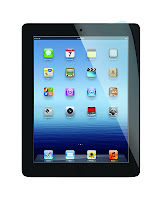
We shared tips and tricks, looked at how to import and export and even talked about how the iPad can be used to help learners with disabilities by going through the accessibility functions within the device. We used the iPad as a document camera and shared what we were working on (we were all connected at once!) with the rest of the groups and some fantastic education ideas came out of just that. Imagine you students working on a document and then sharing it with the class. Have multiple students to this would truly bring communication and innovation to the forefront. Finally, we stopped at guided access, which really was a fantastic area for some teachers when it came to locking the iOS in a certain app to use during centers or the like.
Finally, we looked at just a few apps that were really high on the SAMR scale. These included:
- Explain Everything
- E-Backpack
- Class Dojo
- Google Drive
- PuppetPals HD
- BrainPOP
- Google Maps
- and more...
But it wasn't about the apps. It wasn't even about iPads. It was still about learning and the students. Shedding the light on why technology has failed in the past and where we need to go as a population of educators to prevent those pitfalls from happening in the future. I had teachers and educators of all content levels, backgrounds, and grades. Experience with tech, teaching, or iPads was not necessary and I had teachers that were vets and those who were new share ideas with each other. And that is the true purpose of PD. It's not about learning something once and never talking about it again, its about learning something, talking about it with your peers, and taking it and making it your own so that your students benefit from it.
Truth be told, I didn't know how it was going to go. I thought the summits may have bomb.
After three minutes in each one, the educators in them let me know - they want more, they want to learn, and they are eager.
Labels:
apple,
apps,
blended learning,
collaboration,
create,
ios,
ipads,
learning,
PTCK,
SAMR,
summit,
tablets
Location:
Green Brook, NJ, USA
Subscribe to:
Posts (Atom)


